If you're trying to figure out how to tell if someone blocked you — or whether they're just ignoring you — you're in the right place. This guide walks through every signal: what your voicemail behavior actually means, why iMessage delivery confirmation disappears when you're blocked, and how to tell the difference between a block and a ghost.
It also features a dinosaur named Rex. Rex wears a backwards baseball cap. He found a pair of RayBan Wayfarers at a skate park in 1994 and has never taken them off. He kickflips over emotional ambiguity for sport. He’s been blocked more times than he can count, but that’s partially because raptors only have three, fingerlike claws, so it’s hard to count past three. He’s also named after a T-Rex when he’s actually a velociraptor. Why did his parents do this to him? He has no idea. He does know that it’s resulted in a rather severe identity crisis that’s probably the root cause for a lot of his social problems.
Anyway, Rex is here, and he’s going to help you figure out what’s actually happening. Lucky you.
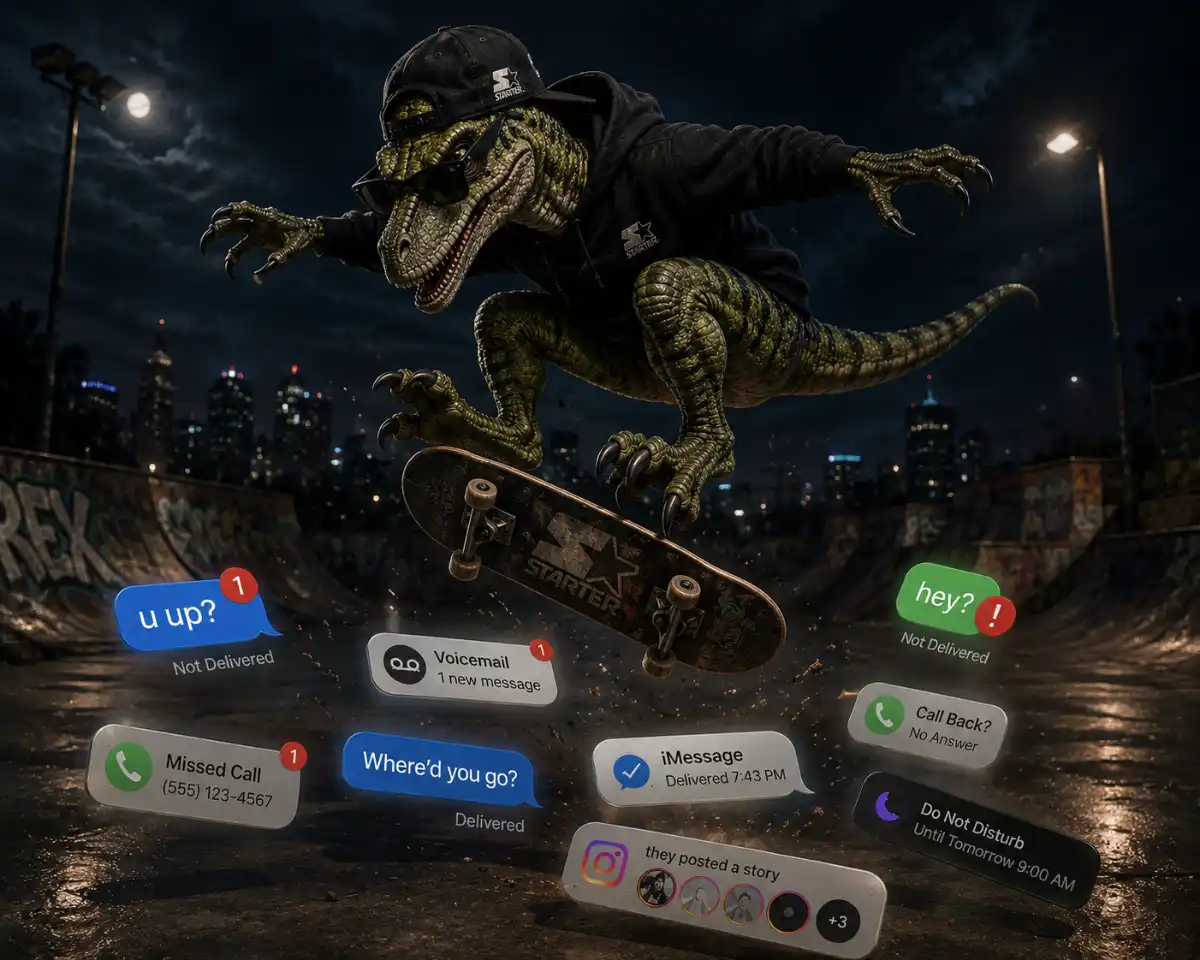
Blocked vs. Ghosted: What’s the Difference?
These are two different problems with two different solutions, and confusing them is going to make your anxiety significantly worse.
Blocked means a deliberate technical action was taken. Someone opened their phone, found your number, and tapped the little button that says “Block this Caller.” This takes all of five seconds, but nevertheless requires intention. It is, in the taxonomy of rejection, a verdict.
Ghosted means someone decided that the path of least resistance was to simply stop existing, at least as far as you are concerned. They’re still out there. Their phone is on. They’re posting Instagram Stories of themselves riding a jet ski (which, by the way, they own outright – in fact, they paid cash, meaning no monthly payments – making them all the cooler). So, yeah, they’re doing good. You might even say they’re doing great. They’re just… not doing you anymore. It’s the coward’s exit, and it’s been around since the invention of leaving without saying goodbye, which predates the iPhone by several thousand – or, in Rex’s case, several hundred million – years.
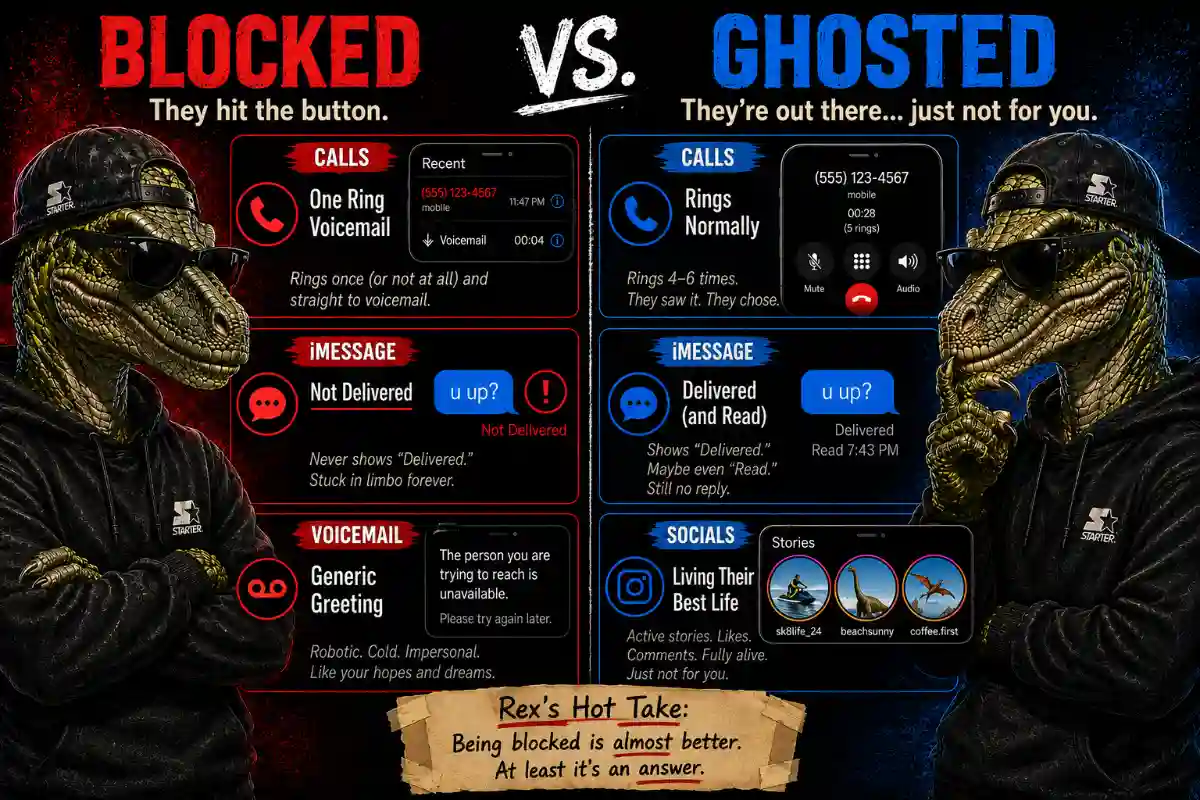
How to Tell If Someone Blocked You: 3 Technical Signs
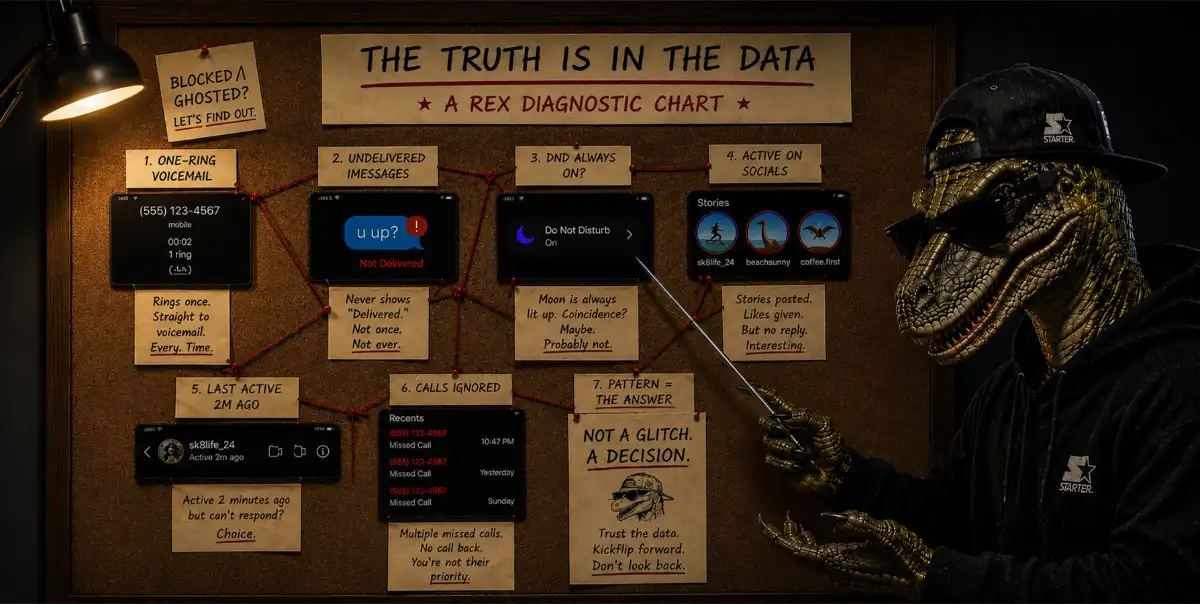
1. Your Call Goes to Voicemail After One Ring
A normal call that nobody answers rings four to six times. That’s the sound of a phone genuinely trying to reach someone who isn’t picking up. One ring (or sometimes zero rings, just straight to voicemail) is different. At the network level, your call was diverted before their phone even knew about it.
This is the clearest signal of being blocked. It's also the most misread signal, because several other things cause exactly the same behaviour:
Rex wants you to read those back to yourself before you spiral. In fact, Rex should read them back to himself. This is why therapists also need therapy; they are good at giving advice, just not taking it.
Anyway, the key word here is "consistency." Is this a one-time occurrence? That could be anything. Every single time, across multiple days, at different hours of the day? That’s a pattern, and patterns are data.
2. Your iMessage Shows No 'Delivered' Status
On iPhone, when you send an iMessage (the blue bubble) the word “Delivered” appears underneath it once the message reaches their device. If you’ve been blocked, that never happens. The message sits there, tiny and alone, with no status update.
Other than that, your message looks like it sent fine, but it did not reach its target. It's a cold, cold world out there.
- The iMessage test: Send a message and wait. If it says “Delivered” eventually (sometimes even hours later) you’re almost certainly not blocked. If it never says anything, ever, that’s a flag.
- The SMS fallback: Your phone may automatically retry the message as a green bubble SMS. Green bubble, no delivery receipt, no response for days? That’s a compounding flag. Not conclusive on its own, but together with the voicemail pattern? Rex is adjusting his cap and giving you (and, by proxy, himself) a meaningful look
3. The Voicemail Greeting Sounds Different
If the person previously had a personal voicemail greeting – their actual voice saying their name – and now you’re getting a generic robotic carrier message (“the person you are trying to reach is unavailable”), it may mean your call is being handled differently from calls that aren’t blocked. Not every carrier does this, but if you notice it, note it.
Does Blocking Work the Same Way on Android?
Mostly, but not exactly. Android doesn't have a single unified blocking system the way iPhone does. This means behavior varies by manufacturer, phone model, and carrier, which makes the signals less consistent.
The voicemail pattern is the same, however. A blocked call on Android typically goes straight to voicemail after one ring, or sometimes no rings at all. But the iMessage delivery test doesn't apply. Android uses SMS and RCS b default, and neither gives you the clean "Delivered" vs. silent gap that iMessage does. SMS delivery receipts are inconsistent even under normal circumstances, so the absence of a receipt isn't a reliable signal.
The most reliable test on Android is still the different-number call (we touch on this below, as well). If a call from another number rings normally while yours goes straight to voicemail, your number is blocked. That variable isolation works regardless of what phone they're using.
How to Tell If You’ve Been Ghosted Instead
Ghosting is technically simpler to detect. Here’s what it looks like:
- Your messages show “Delivered.” Their phone received them
- They read them. The little “Read” timestamp appeared and they put the phone down and decided to watch TV instead. A blocked person’s phone can’t confirm delivery. A ghosting person’s phone just… doesn’t reply
- They’re visibly alive online. They posted a Story. They liked something. They left a comment somewhere with a timestamp from this morning
- You called and it rang four, five, six times before voicemail. That’s not a block. That’s someone staring at their screen watching your name appear and deciding, ring by ring, to let it go
Rex watched this happen to a friend* once and the friend* described it in detail and Rex had to do a kickflip just to process it.
*The friend was actually Rex himself. Rex has no real friends. Not anymore, at least. Those that haven’t gone extinct have evolved.

Blocked or Do Not Disturb? How to Tell the Difference
Rex knew you were going to ask this. Here’s how to distinguish Do Not Disturb (DND) from a block:
If they have DND on, your iMessage will still show “Delivered.” The message reaches the phone; notifications are just silenced. Being on the blocked list prevents the message from arriving at all. These are technically different things.
How to Confirm a Block: The Different Number Test
Rex endorses this. It’s clean. It’s decisive. It’s exactly the kind of empirical experiment a velociraptor with a backwards cap and a commitment to truth would suggest.
So borrow a friend’s phone and call the number in question. If it rings normally and goes to voicemail after four or five rings, your number is blocked. The variable is isolated. Same recipient, different number, different result.
Rex’s Top Tip:Don’t use this as a workaround to actually reach the person. That’s not what this is for. This is for knowing. Knowing and reaching are different things, and you should only want the first one right now.
How to Know If a Number Is Still Active
What a Reverse Phone Lookup Can (and Can’t) Tell You
Rex has been on this planet — well, a version of this planet — for a long time. He’s seen things. He ollied a his way through the late Cretaceous and into a Hot Topic some time in the nineties (shortly after he found his RayBans) and emerged with wisdom.
Here's some of the knowledge he's gained in that time. If someone blocked you, that’s information. If someone ghosted you, that’s also information. Neither of those pieces of information is that you should figure out how to get around it.
Calling from different numbers repeatedly isn’t detective work, rather the beginning of a pattern that, in many states, constitutes harassment. So don’t do it, you weirdo. Rex is has extremely sharp talons and he ain't afraid to use them. He knows you've seen Jurassic Park. He knows you know what he's capable of.