
Find Someone on Dating Sites by Phone Number
Learn how to find someone on dating sites by phone number, which free checks confirm an account, and why a clean result doesn't necessarily mean anything.
Guides
Luke Belfield
Sep 16, 2026 • 6 min read


The missed call came at 2:14 p.m. The caller left no voicemail. It was from an area code you half-recognized but couldn't place. You stared at it for a moment, then put your phone down and got on with your day.
But it stayed with you.
That's the thing about unknown numbers: they don't ask much of you, just a few seconds of doubt. In those seconds, you're left guessing. Could it be a delivery you're expecting, a scammer working a list, someone you actually know calling from a different number? The options aren't equal, and you have no way to tell them apart.
A reverse phone lookup is what you run when you'd rather know than wonder. It searches publicly available records — carrier data, directories, social profiles, community reports — and surfaces whatever has been linked to that number. Thirty seconds later, you'll have enough context to know whether to return the call or not.
Here's exactly what a reverse phone lookup returns, where it falls short, and how to read what you find.
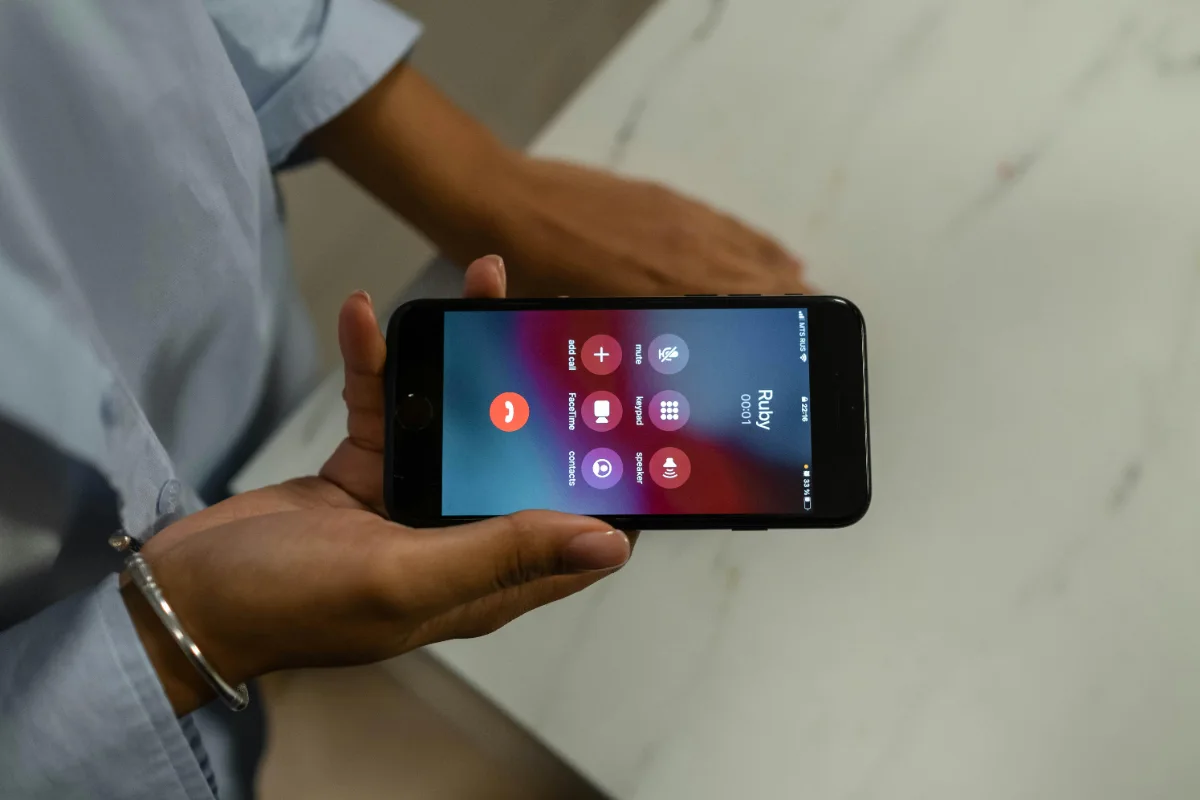
A reverse phone lookup searches publicly available databases — including carrier records, business directories, social media, and data aggregators — and surfaces whatever has been openly linked to that number. The information you'll get back depends on the number type, how it was registered, and how much the owner has put online.
In most cases, you can expect to find some combination of:
| Category | What It Shows |
|---|---|
| Name | Full or partial name associated with the registration |
| Location | City or state, sometimes a street-level address |
| Carrier | Which telecom the number belongs to |
| Line type | Mobile, landline, or VoIP — a telling distinction |
| Spam reports | Community flags from others who got the same call |
| Social profiles | Publicly linked accounts where the number appears |
VoIP numbers — like the kind you can spin up in minutes through apps like Google Voice or Skype — are the tool of choice for people who don't want to be identified. A genuine cell number from a real carrier, registered to a real person, tells you a lot more than a VoIP line does. If the lookup returns "VoIP" or "non-fixed VoIP," treat the rest of the result with scepticism.
The FTC and FCC have both noted that VoIP technology makes it easy for scammers to spoof caller IDs, including displaying legitimate-looking area codes that have no relation to where the call is actually originating.
This is the part most lookup services quietly skip over. There are hard limits on what public data can reveal, and being clear about them stops you from misreading what you do find.
| What you might hope for | What's actually possible |
|---|---|
| Who really called me (spoofed numbers) | The number that displayed, not necessarily the origin |
| Current location of the caller | Registration address, which may be outdated |
| Why they called | No tool can tell you intent, only context |
| Private or unlisted numbers | Only what's been made publicly available |
Caller ID spoofing is widespread enough that the FCC has an entire consumer guide dedicated to it. Scammers routinely display numbers that belong to real businesses, government agencies, or even the person they're calling. If the lookup returns a credible-looking name, that's useful context — not confirmation that the person whose name appears made the call.

A reverse phone lookup result is a starting point, not a verdict. Here's how to think through what comes back.
If a number has been flagged by multiple users as spam, robocall, or scam, that's a meaningful signal. These flags come from real people who got the same call before you. A single report is inconclusive. Dozens of reports for the same number, with consistent descriptions, is close to confirmation.
Burner numbers, VoIP lines, and very new numbers often return nothing — but a clean result doesn't mean the number is legitimate. It means the number hasn't generated a public record yet, which for certain types of callers is exactly the point.
Cross-referencing a phone result with other public data can shift a maybe into a yes or a no.
Free tools like Google, Truecaller, and 800notes are a reasonable first step, particularly for identifying flagged spam numbers. They're community-powered and fast, but their coverage of private mobile numbers is thin, and they won't surface much beyond basic carrier data or crowd-sourced reports.
For more depth — including names, associated addresses, and publicly linked profiles — services that aggregate open-source data pull from a wider range of sources. These include ClarityCheck and Spokeo.
ClarityCheck's reverse phone lookup service may surface additional publicly available context about the number's owner: associated names, locations, and other public records that can help you decide whether to call back, block, or report.
If your lookup identifies the number as a known scam line — or the call matches a pattern such as government impersonation, a one-ring from an unfamiliar area code, or an aggressive robocall — report it to the FTC at reportfraud.ftc.gov and the FCC at consumercomplaints.fcc.gov. Both agencies track call patterns and use reports to pursue enforcement.
If the number returns nothing useful and you have no reason to think it's a legitimate contact, blocking is the right call. You lose nothing.
That number from 2:14? Run it. A reverse phone lookup won't always give you a name, but it will tell you whether you're the hundredth person to get that call, or the first. That's usually enough to go on.
ClarityCheck's phone search draws from publicly available records to surface name, location, carrier, line type, and associated public profiles — giving you more context before you decide what to do next.
Learn how to find someone on dating sites by phone number, which free checks confirm an account, and why a clean result doesn't necessarily mean anything.
Should you call someone who blocked you? What *67 really does, why voicemail still lands, what never works, and the legal line you should not cross.
A salvage title means the car was totaled. Learn what triggers the brand, whether you can insure or finance it, and how to check any VIN before you buy.