How to Identify a Fake Text Message (and Trace the Number)
Here's how to identify a fake text message in seconds, plus how to potentially find out who is behind the number.
Scam Alert
Claire Kellerman
Sep 8, 2026 • 6 min read
Discord has more than 200 million monthly active users, according to Discord, and almost none of them use their real name. Here's how to find someone on Discord when you have very little to go on, and how to work out whether the person you found is who they claim to be.
Discord has no directory and no name-based search. A user’s only stable handle is their unique username, and beneath that, a numeric user ID.
In 2023 Discord scrapped the four-digit tag system. Every account now has one unique username of two to 32 characters, forced lowercase, Latin letters a-z, numbers, underscores and periods only, with no two consecutive periods. Discord's documentation says usernames serve as identifiers "for friend requests and for validating the identity of other users on Discord."
There’s also a display name (the one you actually see). It allows spaces, emojis, capitals, and any language, but is not unique. As Discord puts it, you can change it "whenever you want, even from one minute to the next."
That means the username you've been seeing in chat may be worth nothing. The username underneath it temporarily holds, but even that can change twice a week.
Open the Friends tab, click Add Friend, type the exact username, and send the request. It takes about 10 seconds.
You must be careful typing in the username. In its help center, Discord says “the username needs to be exact, or the request will not go through." One wrong character and you get "Hm, didn't work."
If you see “Friend Request Failed,” that means the account exists but has friend requests switched off. If nothing is found at all, the username may have changed since you wrote it down.
You can also add someone straight from a server. On desktop or browser, right-click their name in the member list or on any message. On mobile there's no right-click option, so tap their profile and add them from there instead.
Here are five approaches, roughly in order of how well they work.
Type the display name into the server search bar or the @ mention box. Discord lets you search members by display name or username, so a partial memory of either can surface the account.
Click any avatar and the profile shows mutual servers and mutual friends. This can give you clues to a person’s true identity. For example, someone claiming to be a 34-year-old software engineer in Denver whose only three mutual servers are crypto signal groups is a potential red flag.
Discord's Profile Privacy setting lets people restrict their bio, pronouns, badges, connected accounts and activity. It has three levels, Friends & All Servers, Friends & Small Servers Only, and Friends Only. A private profile still receives friend requests and DMs.
However, a user’s avatar, banner, display name, username, server tag, account age, and mutual friends and servers stay visible at every level.
People reuse handles. A Discord username lookup means taking that string and searching for it outside Discord, using a search engine, or a platform like Reddit, Steam, X, GitHub, or Twitch. Handles that feel anonymous inside one app are often the same handle someone has used for a decade everywhere else.
This is the highest-yield step when the username is unusual and the lowest-yield when it's three common words. Our guides on finding someone's social media and finding someone on TikTok go deeper on the technique, and the same approach powers finding someone on Hinge.
Server moderators see a Members page showing when each person joined, their Discord account age, how they got the invite, and safety signals, including "Unusual DM Activity," which flags members who may have sent a high volume of DMs to non-friend members.
Remember, however, that the Members page is browser and desktop only, viewing invite codes needs Manage Server permission, and Discord says it can't share the specific details behind the Unusual DM Activity signal. Still, if someone in your server is behaving oddly, a moderator sees patterns you can't.
A Discord ID lookup confirms an account is the same account across name changes. It does not reveal a real name, address, or phone number.
Every account has a permanent numeric ID. Display names change, usernames change, the ID never does. Turn on User Settings > Advanced > Developer Mode, then right-click the person (or tap their profile on mobile) and choose Copy User ID.
Discord holds identifying data and releases it to law enforcement under legal process, not to you. The ID's value is continuity; if an account reappears under a new name, the ID confirms it's the same one. Save it if you may need to report someone later.
The FTC reported $2.1 billion lost in 2025 to scams that began on social media, about eight times the 2020 figure, with $1.1 billion of that in investment scams. Nearly 60% of people who lost money to a romance scam in 2025 said it started on a social platform.
Discord's community structure is a specific target. In December 2025 the SEC charged a man who "gained a following on Discord" while presenting himself as a successful investment professional managing over a billion dollars in assets. He raised more than $18 million. A 2020 Pew study found 71% of online dating users said it was very common for people on those platforms to lie about themselves to appear more desirable.
That’s why verification is so important. Take whatever someone has volunteered outside Discord, such as a full name, a photo, an email address, and see whether it holds together. A reverse image search of their avatar may show where else that photo appears in public sources, though a clean result proves less than people assume. An email lookup may surface publicly listed profiles connected to it, but you should learn what an empty result actually means before you read anything into one.
Narrow your friend request settings, restrict your profile, and block anyone who crosses a line.
Under User Settings > Content & Social > Friend Requests, the options are Everyone, Friends of Friends, and Server Members. Deselecting all three blocks friend requests entirely. In the same menu, turn off DMs from people who merely share a server with you. Under Data & Privacy > Profile Privacy, restrict who sees your profile details.
If someone crosses a line, block them (the person you are blocking will not receive a notification) and report the message or profile. Discord says it aims to review high-harm reports within 24 to 48 hours, though it notes review times fluctuate, and that "your identity is not shared with the account you reported." Sharing someone's personal information to cause them harm violates Discord's doxxing policy, so keep your searching to public sources.
Here's how to identify a fake text message in seconds, plus how to potentially find out who is behind the number.
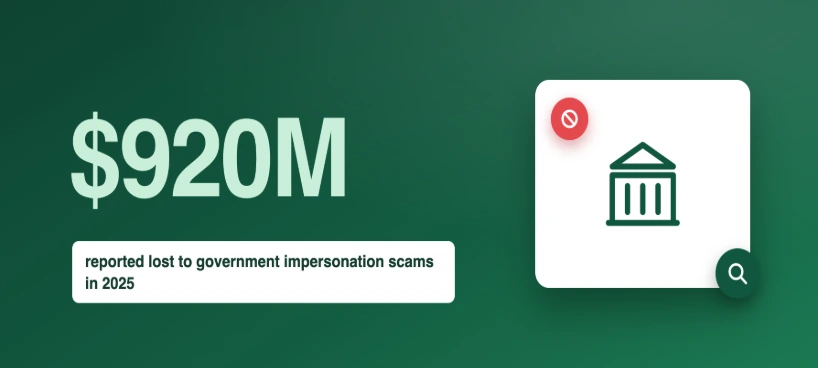
Got a call about back taxes? The IRS never calls first. Here's how the scam works, the fake agency names to know, and what to do next.
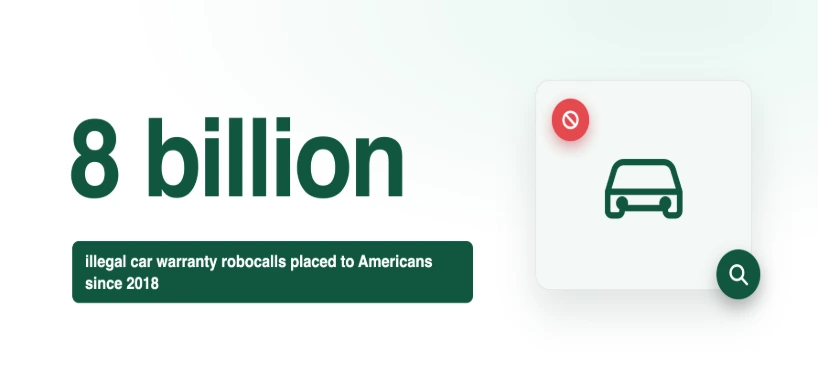
Getting car warranty scam calls? Here's how they work, what regulators have found, and the one question a scammer can never answer.