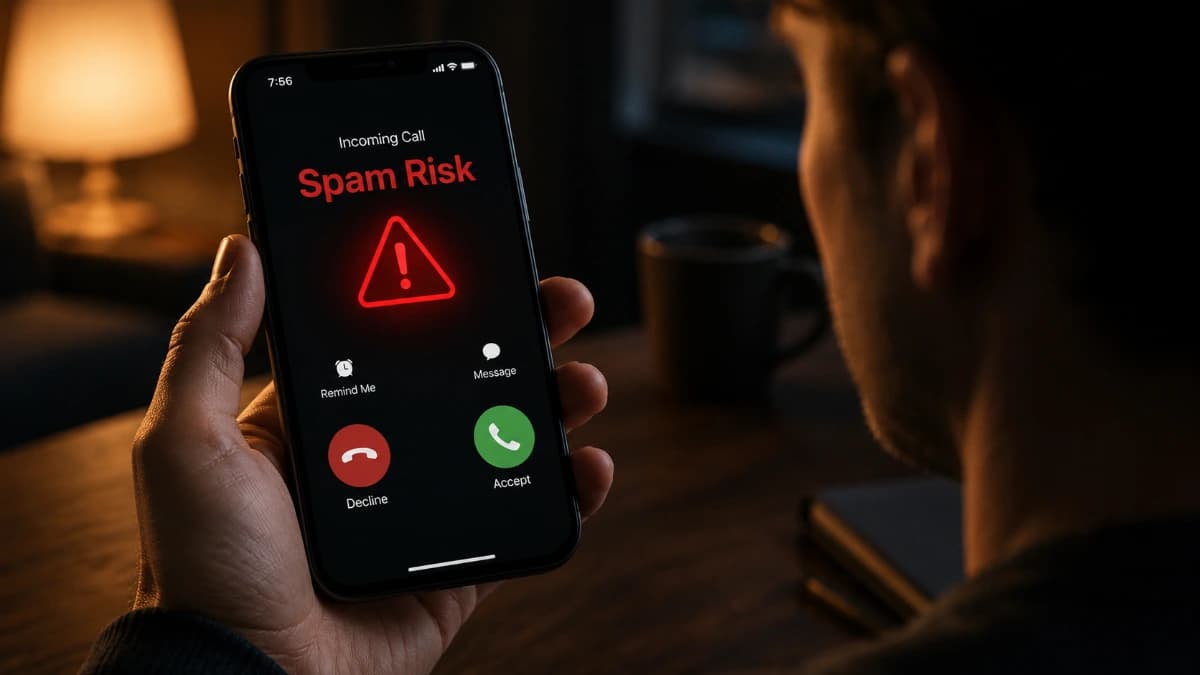
Spam Risk is a label your phone carrier places on incoming calls its fraud detection system has flagged as likely spam, a scam, or robocall activity. It's a probability assessment, not a block, not a guarantee, but a warning from a system that has seen this pattern before and wants you to know about it before you pick up.
Your phone rings.
"Spam Risk."
You stare at it. It stares back. You have a decision to make.
You answer the phone.
The voice is warm, professional, and slightly too friendly. There's a problem with your main checking account. It's urgent — right now, actually — and the fastest way to resolve it is with a Google Play gift card. Any denomination is fine, but the higher the better. Just scratch the back and read the numbers out loud.
You aren't a fool, so you hang up. Then again, you did answer the phone in the first place.
This is the full story on what "Spam Risk" means, how your carrier decides to show it, and — plot twist — what to do if you've somehow become the villain in someone else's version of this story.
What Spam Risk Means on Your Caller ID
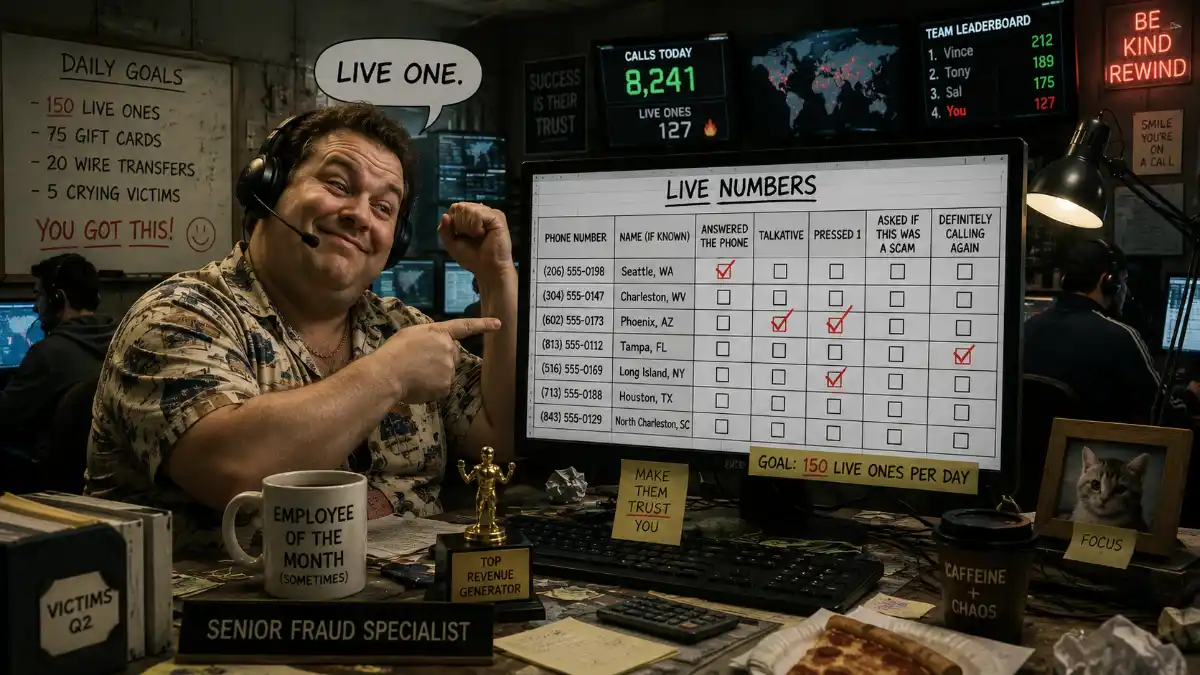
Nobody named Spam Risk is calling you. There is no guy. There is no team. There is a machine – cold, tireless, running on servers humming in a data center, perhaps somewhere in the American Midwest – and that machine just looked at the call coming into your phone and said, with the flat certainty of something that never sleeps: that ain’t good, son.
How Carriers Decide to Flag a Call
"Spam Risk" is a probability assessment. Your carrier's analytics system ran the incoming call through a checklist that looks roughly like this:
- Has this number been reported by other users?
- Is the calling pattern consistent with robocall behavior?
- Did it call 40,000 people in the last hour?
- Is the caller ID real, or did someone make it up?
- Did it fail STIR/SHAKEN authentication? (more on this later)
Why 'Spam Risk' Is a Warning, Not a Block
Enough red flags, and the label appears. The carrier isn't saying definitely fraud. It's saying we have concerns and we respect you enough to mention them. The call still comes through. You can still answer. You're an adult. You pay taxes. It's your phone. You have agency. You own a jet ski. You can essentially do whatever you want.
Your carrier is, however, right about 90% of the time. So keep that in mind. The "Spam Risk" label is only there to give you information to make your own decision about whether to answer.
How Phone Number Spoofing Makes Spam Risk Worse
Let's talk about spoofing, because you deserve to know this and also because it will ruin a small part of your day in a productive way.
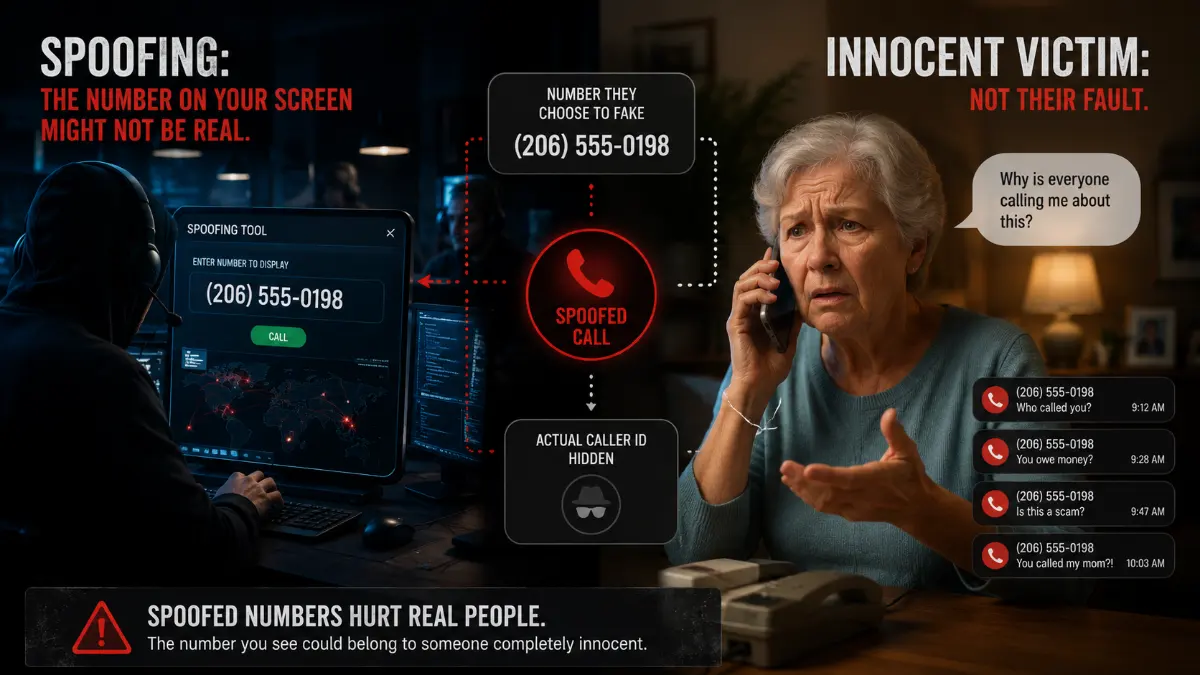
The number on your screen when a spam call comes in? It might not be real.
What Caller ID Spoofing Is and How It Works
Spoofing – faking the caller ID – is technically simple, surprisingly cheap, and is the engine running underneath most phone scams in America (not to mention the world) right now. The man calling your elderly neighbor to explain that her Medicare is being cancelled picked a number, put it on the call, and it showed up on her screen looking like a local area code she recognized.
That's it. That's the whole trick. It's not sophisticated, but it is extremely effective.
The number he used probably belongs to, like, a retired teacher in Akron who has no idea her number is being weaponized against senior citizens across four time zones. If you called it back, she'd answer, confused, having this conversation for the fifteenth time this week. She'd ask you where your homework is. You'd say, you're not my teacher. And I'm not your student. In fact, I'm not a student at all. I graduated high school more than 20 years ago. Besides, aren't you retired? She'd say that doesn't matter, she's failing you anyway. Then she'd call your mom, who would be furious, despite you trying to explain the lunacy of the situation. She wouldn't listen. She'd ground you. For the whole summer.
Then there you'd be – a 40-year-old man with a wife and two kids and a jet ski you're no longer allowed to use. All because of a misunderstanding involving a spoofed phone number and a retired-yet-cantankerous school teacher from Akron.
Them's the breaks, I guess.
How STIR/SHAKEN Authentication Addresses Spoofing
To address situations like this, the FCC mandated a framework called STIR/SHAKEN. (Someone named it STIR/SHAKEN on purpose, for “Secure Telephone Identity Revisited / Signature-based Handling of Asserted Information using toKENs.” They were delighted with themselves. They couldn't stop talking about it. After a while, it became a bit embarrassing to watch. We move on.) The framework requires carriers to digitally sign calls, verifying that the number shown on your screen is the number that actually made the call.
Carriers relax slightly for calls that pass. Those that fail might as well be waving a giant parade float-sized red flag. Most spoofed calls fail, therefore most flagged calls are spoofed.
How T-Mobile, AT&T, and Verizon Handle Spam Risk Calls
T-Mobile Scam Shield
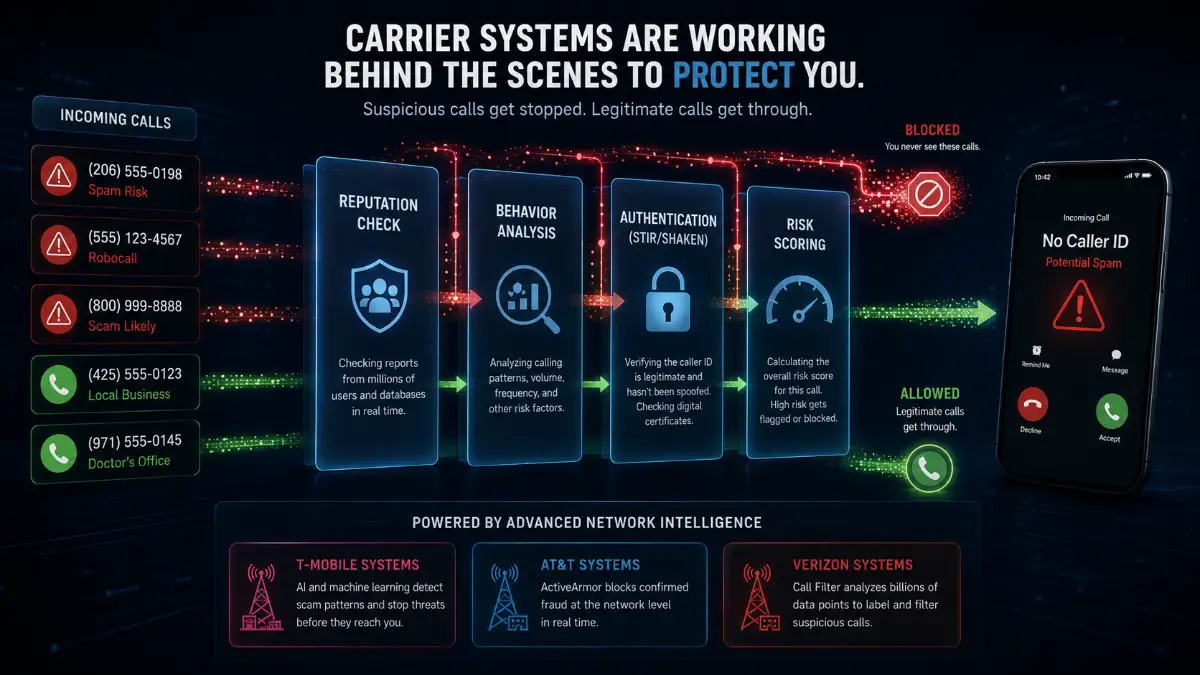
T-Mobile's Scam Shield system was built by people who take phone scams personally. It uses machine learning, network analysis, and STIR/SHAKEN data to classify calls as "Scam Likely," "Spam Likely," or specific categories like "Telemarketer" and "Political." At its most aggressive setting, it sends suspicious calls to voicemail before your phone even knows they happened. There's a free app, on which you can adjust the sensitivity and decide how much of this you want to manage yourself versus outsourcing entirely to the machine.
AT&T ActiveArmor
AT&T's ActiveArmor doesn't wait for your input on confirmed fraud calls. They're blocked at the network level, so they don't cause your phone to ring or leave voicemails. Instead, they are silently turned away at the door.
Calls that are suspicious but not confirmed get labeled "Suspected Spam" and sent to you for a judgment call. The free ActiveArmor app gives you controls. AT&T trusts you to handle the gray area.
Verizon Call Filter
Verizon's Call Filter labels suspected spam as "Potential Spam." The basic version is free. Call Filter Plus is $2.99 a month, which adds actual caller ID for unknown numbers and a spam lookup tool. This is useful if you want to know exactly whose fraud attempt you're dismissing before you dismiss it. Three dollars a month to know which variety of scam just called you is either a bargain or a sign of the times. Possibly both.
Spam Risk vs. Scam Likely: What's the Difference?
Both are carrier-applied labels, but the severity differs. "Spam Risk" (used by carriers including Verizon) typically signals unwanted or suspicious calls: robocalls, telemarketers, or borderline activity. "Scam Likely" (T-Mobile's label) indicates a higher-confidence assessment that the call is actively fraudulent. Treat both with the same caution, and let them go to voicemail.
Should You Answer a Spam Risk Call?
No way, bro.
The carrier flagged it, and the carrier is right the vast majority of the time. That means the call is almost certainly a robocall, a scam attempt, or a human being whose entire professional purpose is to get you to say "yes" into a phone so that yes can be used against you in ways you won't discover for weeks.
Answering also signals that your number is active, monitored by a real person, and worth calling again. You just became a small mark on the aforementioned (and somewhat metaphorical) spreadsheet. You will hear from them again.
The correct move is to let it go to voicemail. If it's real – a dentist's office calling from a VoIP system, a delivery driver, a callback from a number you didn't recognize – they'll leave a message. If the voicemail is silent, robotic, or contains the phrase "this is your final notice," you have your answer and it cost you nothing.
If you genuinely need to know who the number belongs to before deciding whether to call back, run it through a reverse phone lookup, form which you’ll receive information like carrier type, name associations, and spam reports in seconds.
How to Block Spam Calls on iPhone and Android
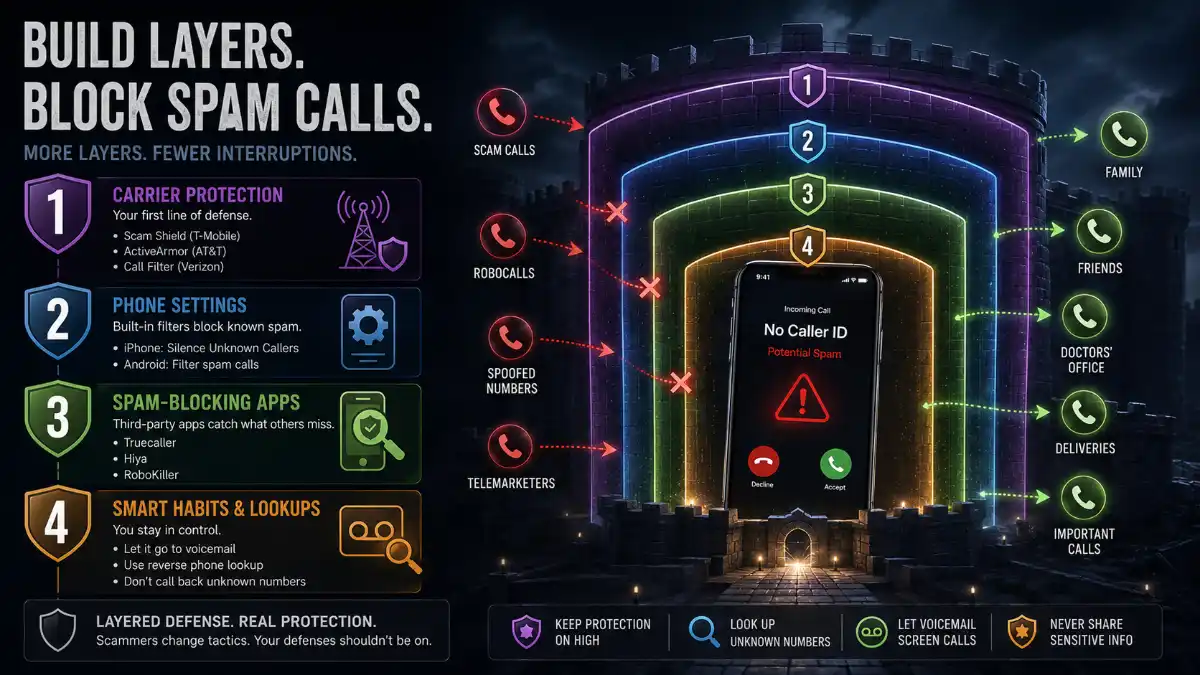
Layer (combine) these options. More layers mean fewer calls. Think of layering as building a fence made of fences made of fences
Layer one: Your carrier
Turn on Scam Shield, ActiveArmor, or Call Filter at the most aggressive setting you can tolerate. These are free, they're the first line, and they catch the bulk.
Layer two: Your phone
On iPhone: Settings → Phone → Silence Unknown Callers. On Android: Phone app → Settings → Caller ID & Spam → Filter spam calls. Works alongside your carrier's system. Double fence.
Layer three: Third-party apps
Truecaller, Hiya, and RoboKiller all maintain independent spam databases and catch calls that slip through layers one and two. RoboKiller in particular answers spam calls with AI-generated nonsense to waste the scammer's time. This accomplishes nothing economically. It is nonetheless deeply satisfying and we endorse it fully. For a full comparison of blocking apps and how to layer them effectively, see our “Guide to Stopping Spam Calls.”
Layer four: The Do Not Call Registry
Register at donotcall.gov. This will not stop illegal robocallers – illegal robocallers are not checking the list, because they are criminals – but it reduces legal telemarketing and gives you standing to report violations to the FTC.
What to Do If Your Own Number Is Flagged as Spam Risk
This is the part of the article where we ask you to consider an uncomfortable possibility.
What if the "Spam Risk" label is appearing on your outgoing calls right now?
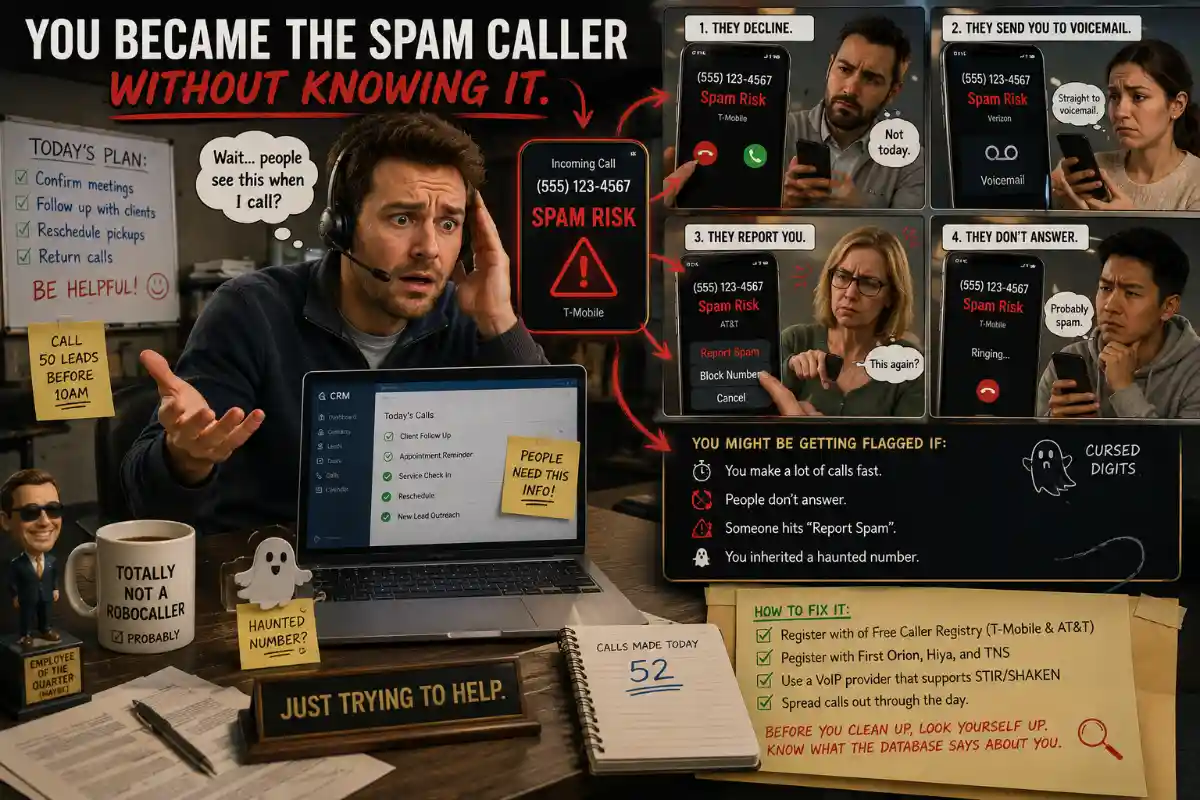
What if, at this exact moment, people are staring at their phones, watching your number get flagged, and sending you directly to voicemail while you try to confirm a meeting or reschedule a pickup or follow up on something that actually matters?
This is a real thing that happens to real people, and they usually have no idea.
Why It Happens
- You make a lot of calls fast. Sales teams, appointment reminders, outreach campaigns — anything that involves high-volume outgoing calls in short windows can trigger carrier pattern-matching. You are not a robot. The algorithm doesn't know you. The algorithm knows you called 50 people before 10am and is forming opinions.
- People aren't answering. Low answer rates are interpreted the same way email systems read low open rates. They count as evidence that recipients don't want contact from you.
- Someone hit "Report Spam" after your call. It might have been an accident. It might have been someone who was just having a bad day. It doesn't matter, because the report goes into the database regardless. A few of those and you're flagged.
- You inherited a haunted number. If your phone number was previously used by a spam operation, which happens regularly with reassigned and VoIP numbers, the reputation came with it. Congratulations on your cursed digits.
How to fix it
If you’re in the United States, register with the Free Caller Registry, which is used by T-Mobile and AT&T. You can also register your numbers with First Orion, Hiya, and TNS — the analytics companies whose databases the carriers actually query. Make sure your VoIP provider supports STIR/SHAKEN. Spread calls out through the day instead of spiking them.
Before you start the cleanup, run your own number through a reverse phone lookup. Know what the database says about you before you try to argue with it.
Spam Calls Are a Business. Here's How to Stay Ahead of Them.
"Spam Risk" exists because somewhere, at scale, people are running phone fraud as a business. They have budgets, developers, and call centers. They study the detection systems and adapt. They pick numbers that look local. They time calls for moments when people are distracted. They sound friendly right through the moment they ask for the gift card.
The carriers are getting better at catching them, but the scammers are getting better at not being caught. STIR/SHAKEN has made spoofing harder, but not impossible. The arms race is ongoing and your phone is caught in the middle.
Your best tools for the fight are:
- Voicemail as a filter
- Your carrier's blocking settings at maximum
- A reverse phone lookup for anything you're genuinely unsure about
- A standing policy of never reading gift card numbers into a phone to a stranger
Not sure who called? Run the number through ClarityCheck's Reverse Phone Lookup to get carrier info, name associations, and spam reports in one search.